


2. In the "Databases" section, click on "SQL Databae" Icon.

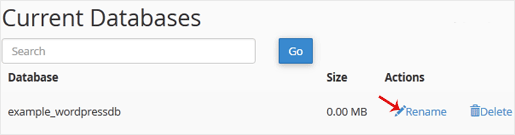
3. Under "Current Databases", You can see list of your all databases. Locate the Database and then click on "Rename" Icon.
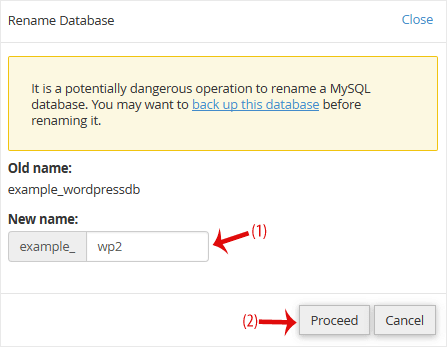
. Change database name and then click on "Proceed" babies.


0 Users Found This Useful (0 Votes)
Most Popular Articles

Reliable web hosting and domain services since 2009, with headquarters in South Africa and offices worldwide. Trust VitalHost for secure, scalable solutions tailored to your business needs.